Key feature improvements this edition:
- Field: Edit Schedule on Tasks
- AroFlo App: Apple CarPlay integration
- Office: Task Location on Checklist Map View
- Sorting and Search in Permission Group Fields
Field: Edit Schedule on Tasks and Quotes 📅
In AroFlo Field, you can now edit schedules from the schedules section of a task or quote! This will save you from going to the schedule area when you need to edit something.
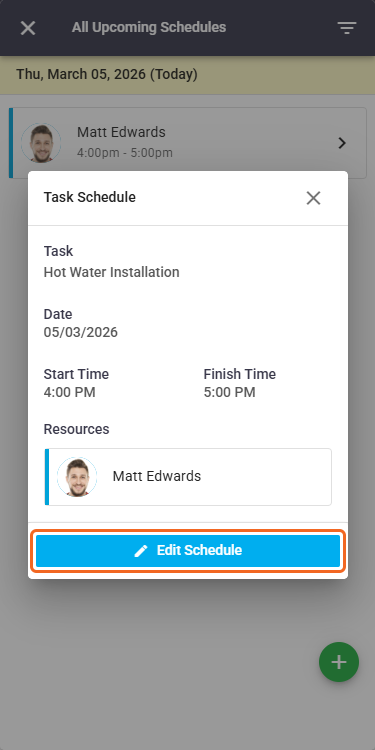
More on Scheduling a Task or Quote in AroFlo Field | Schedules
AroFlo App: Apple CarPlay integration 🚗
Now you can manage your entire day directly from your vehicle using the AroFlo app within Apple CarPlay!
- See your scheduled jobs either as a list or displayed on a map
- Have quick access to contact details and call clients directly
- Easily navigate to job locations
all without needing to use your phone while driving.
Learn about AroFlo for Apple CarPlay
Office: Task Location on Checklist Map View 📌
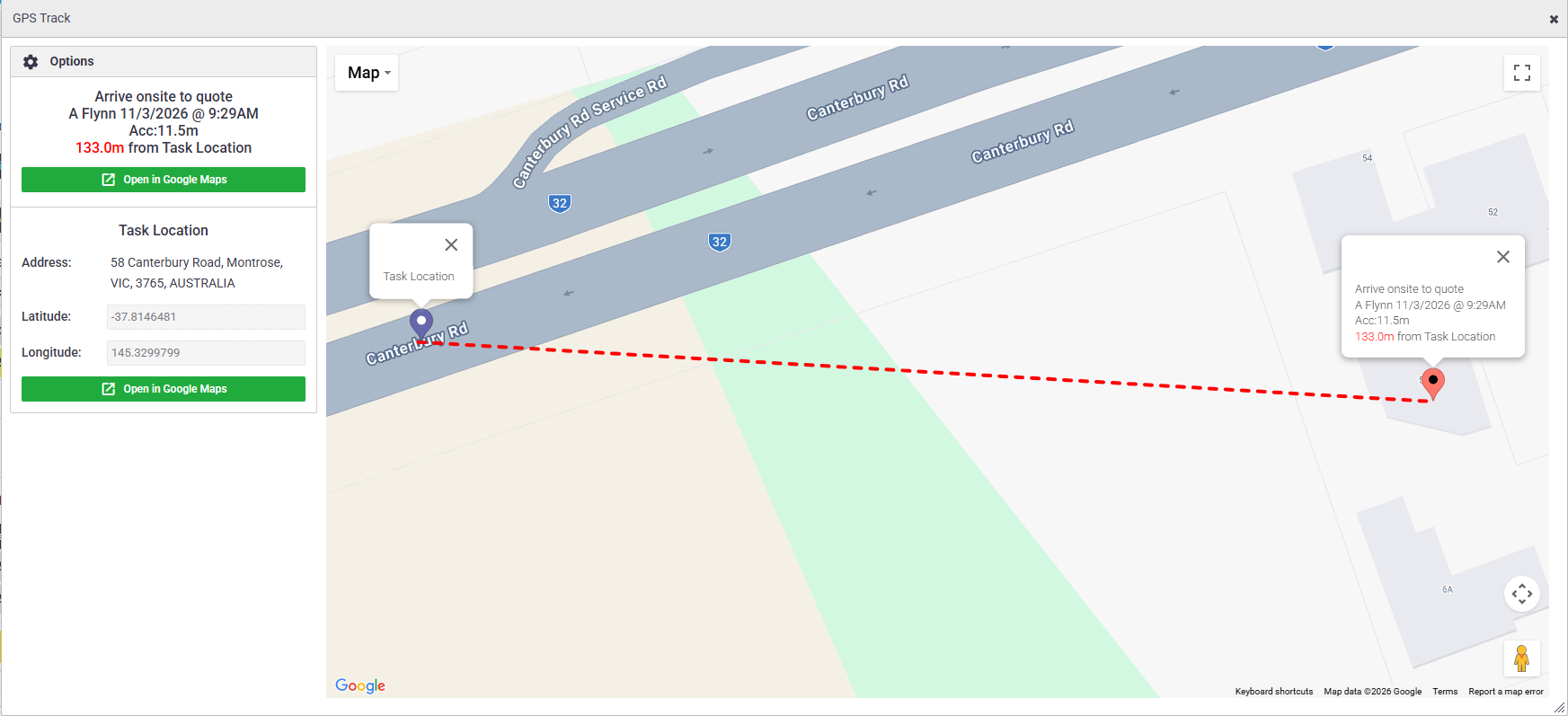
In AroFlo Office, you can now view the Task location and Checklist Item GPS location on the same map view, if it has been recorded.
This provides a more detailed GPS location comparison between your checklist item and the corresponding task.
Note that Location Access must be enabled on the technician’s mobile device in the AroFlo app for this feature to work.
Custom Page Margins in Layouts 📄
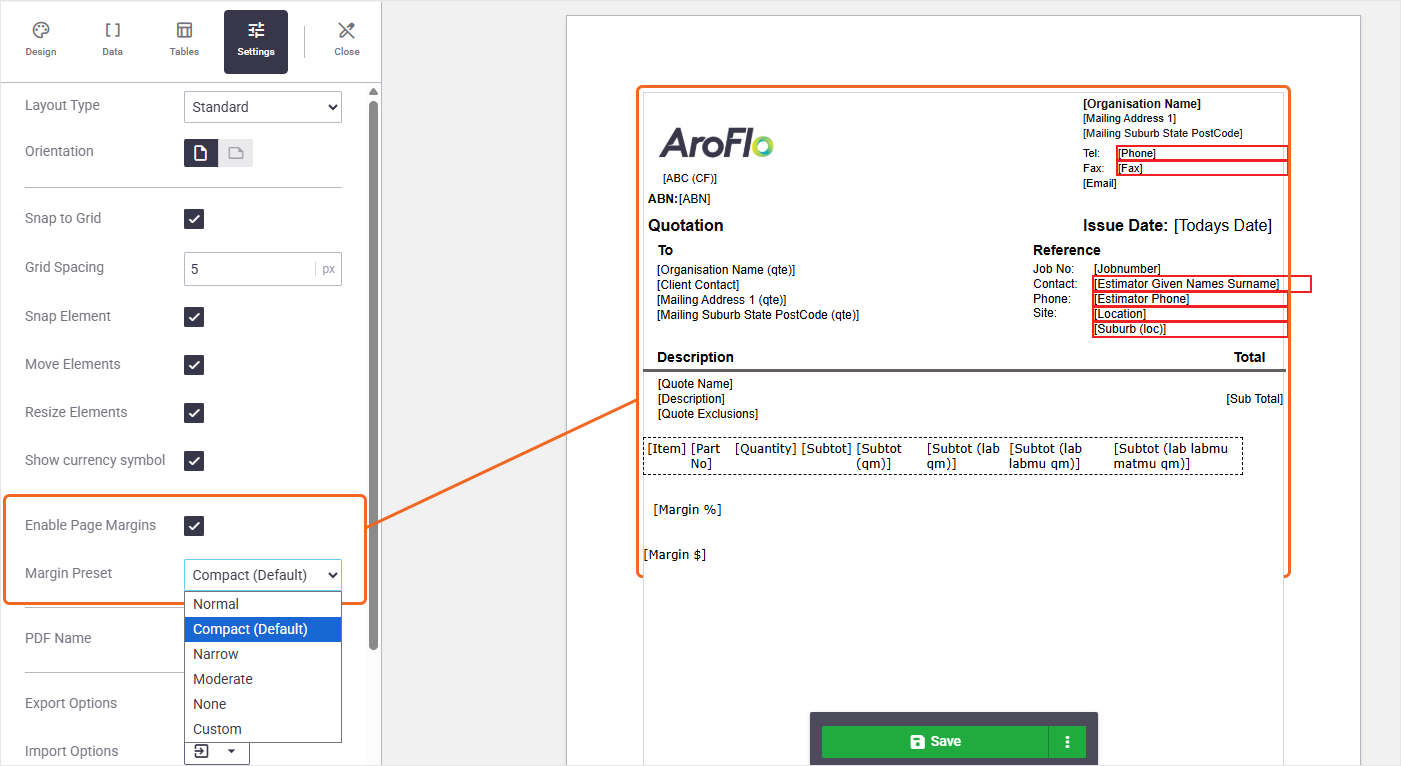
We've introduced page margins in layouts. This option is useful when you need the content of your layout to display nicely on a printed copy. Tick the Enable Page Margins option and choose a Margin Preset from the dropdown. You can also choose Custom to set your own margins in pixels (px), millimetres (mm), or centimetres (cm).
Elements that are too close to the edge will display with a red border, letting you know they're at risk of being cut off during printing.
Alternatively, you can also select None for no border to utilise the full width of the A4 page. This is useful if your layout is intended to be viewed online as opposed to being printed.
More on Layout Settings | Layouts
Delete Periodic Task Assets in Bulk
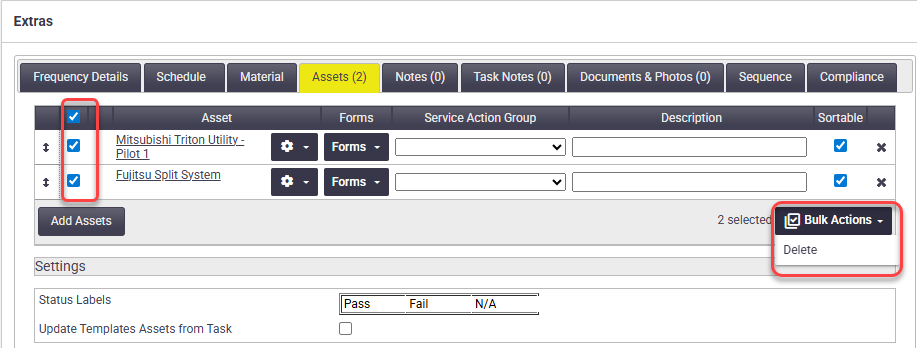
You can now select multiple Assets or select all of them to remove them from Periodic Task Templates. This is useful for ensuring future-generated tasks only contain the assets you need.
More on Creating a Periodic Task Template
Sorting and Search in Permission Group Fields ⬇️🔍
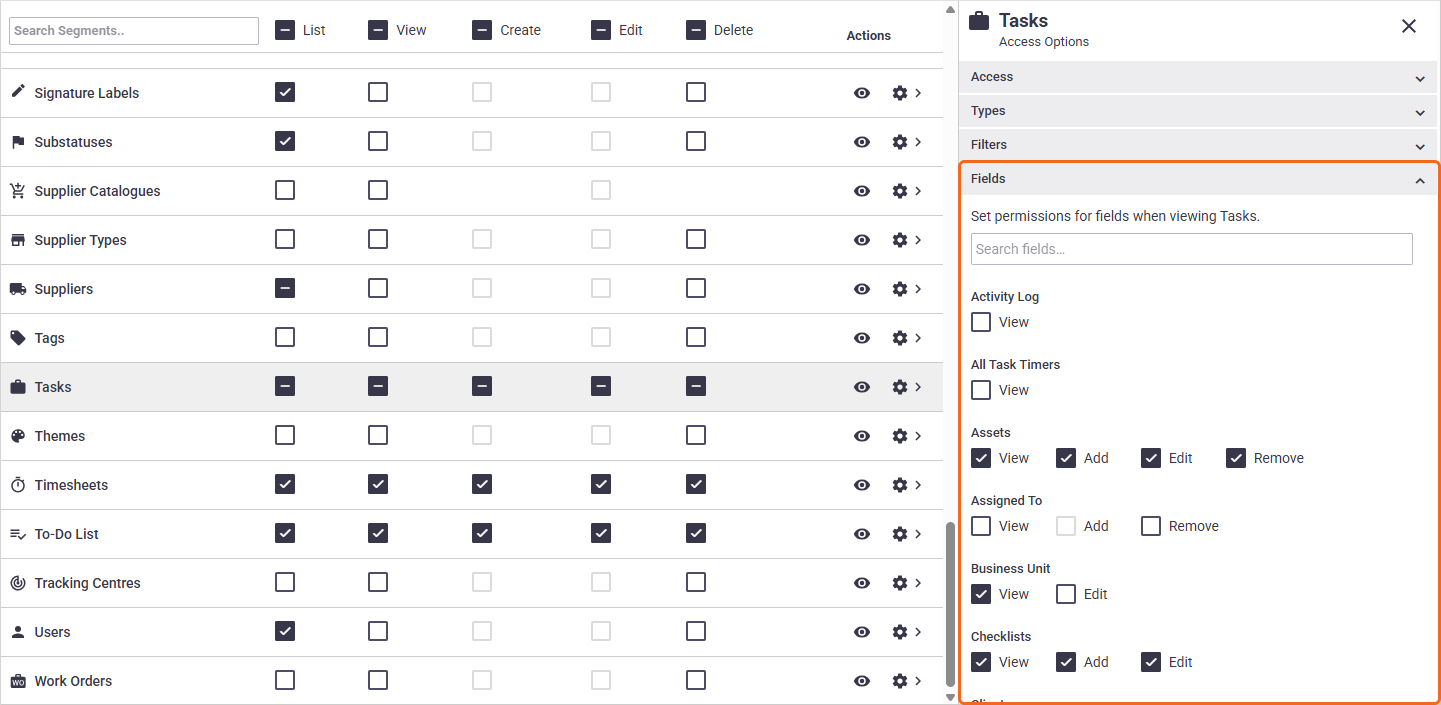
Making changes to permission group fields? We've made it easier by:
- putting the fields in alphabetical order, making it easier to find the fields you need
- adding a search bar so you can quickly find the field you need.
Report History
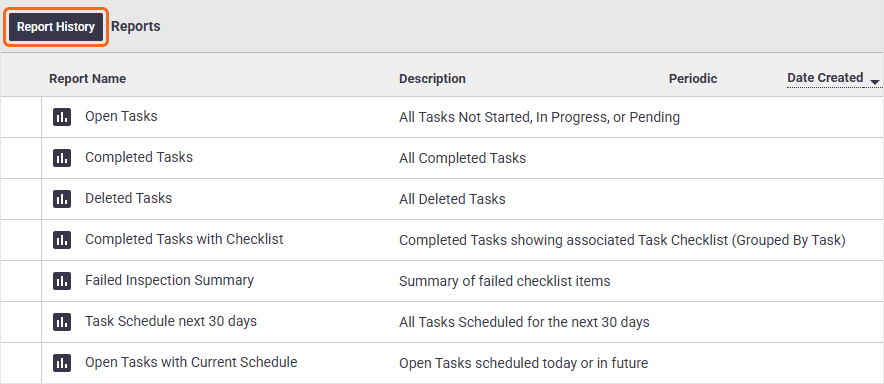
You can now see a history of when reports were run, which can be useful for auditing purposes.
Simply click Report History towards the top left of any Reports area to access this information.
The history includes Standard and Custom Reports, including Periodic Reports.
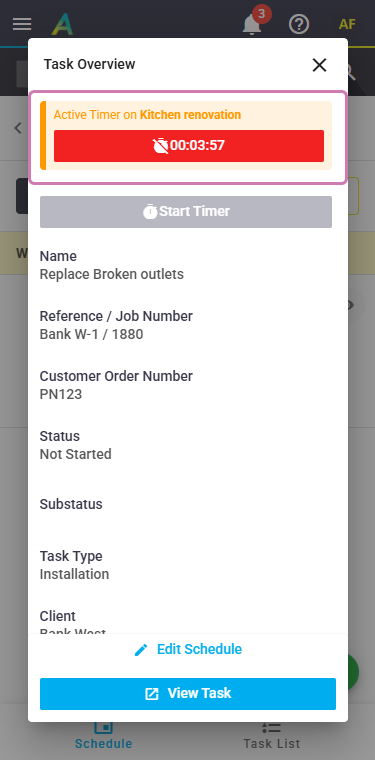
Field: Active Timers within Task Overview ⏲️
Got an active task timer? This will now be shown when viewing a Task Overview in AroFlo Field, making it even easier to complete what you need to do before starting the next timer.
Description Templates Improvements
We've improved the way the text editor works when using Description Templates. Now, when you insert an HTML-based template, the editor will automatically switch to HTML mode for you, saving you from having to switch it yourself.